- DATE:
- AUTHOR:
- The Fountain team
Print Selected Stages
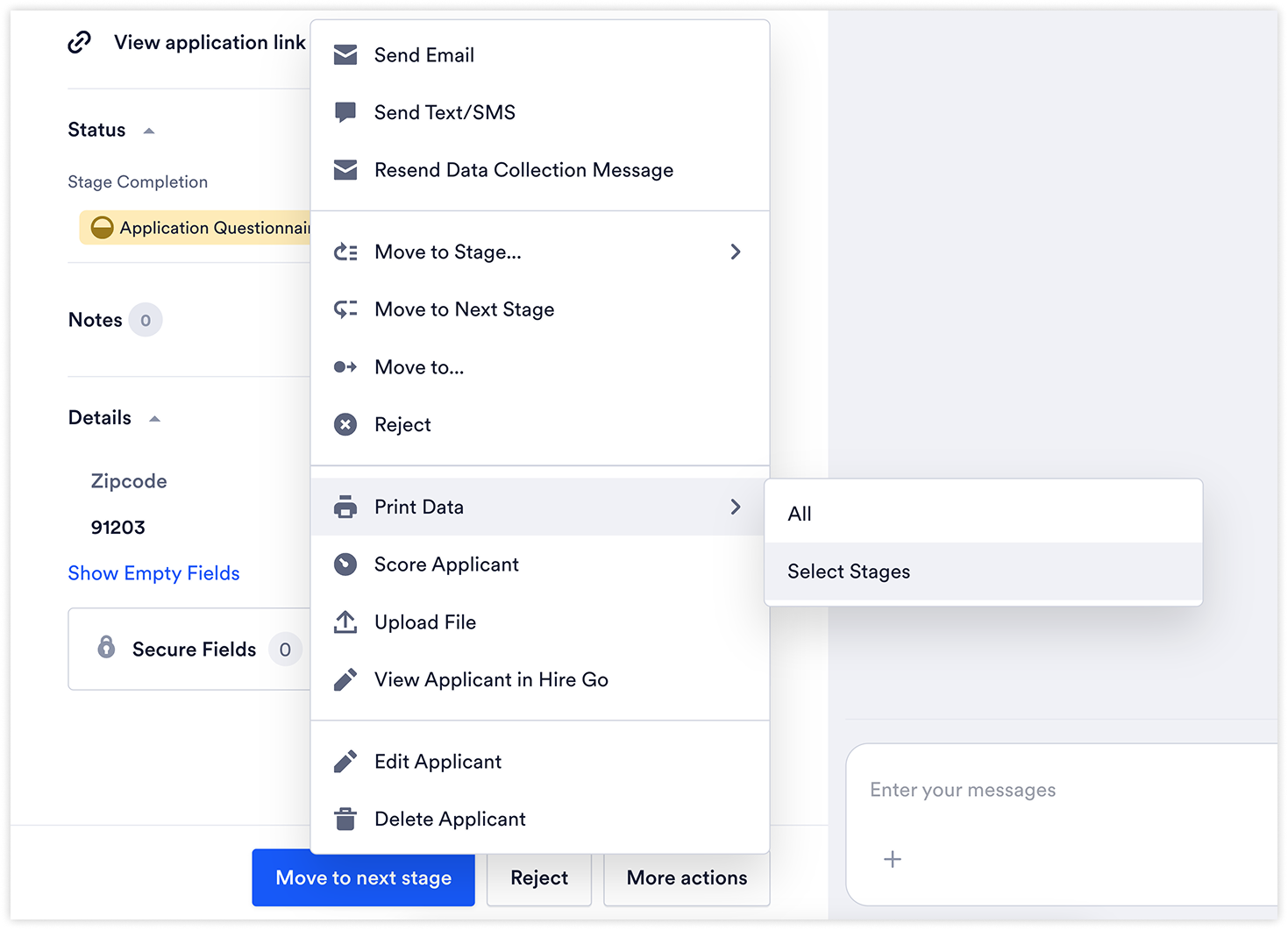
A new 'Print Data > Select Stages' option in the Applicant More Actions menu lets recruiters select exactly which stages to include in a printout.
Previously, printing an applicant record printed the entire record. When only specific stages were needed — for a review, compliance record, or interviewer handoff — the output included irrelevant content.
What's new
"Print Data > Select Stages" action added to the Applicant actions > More actions > Print Data menu
Stage selection — recruiters choose which stages to include before printing, producing a focused, relevant printout
Why it matters
Printing an entire applicant record is noisy when only specific stages are needed. Selecting stages produces a cleaner, more relevant printout — useful for targeted reviews, compliance records, or interviewer handoffs.
Availability
Available to all Hire customers.
Customers on select plans may have this feature enabled on a phased basis. Contact your Customer Success team for details.